How can I verify another employee’s background check details?
Step 1: Log in to your account
Make sure your user account type is set to Admin before proceeding. Then, login with your username and password to access the dashboard.
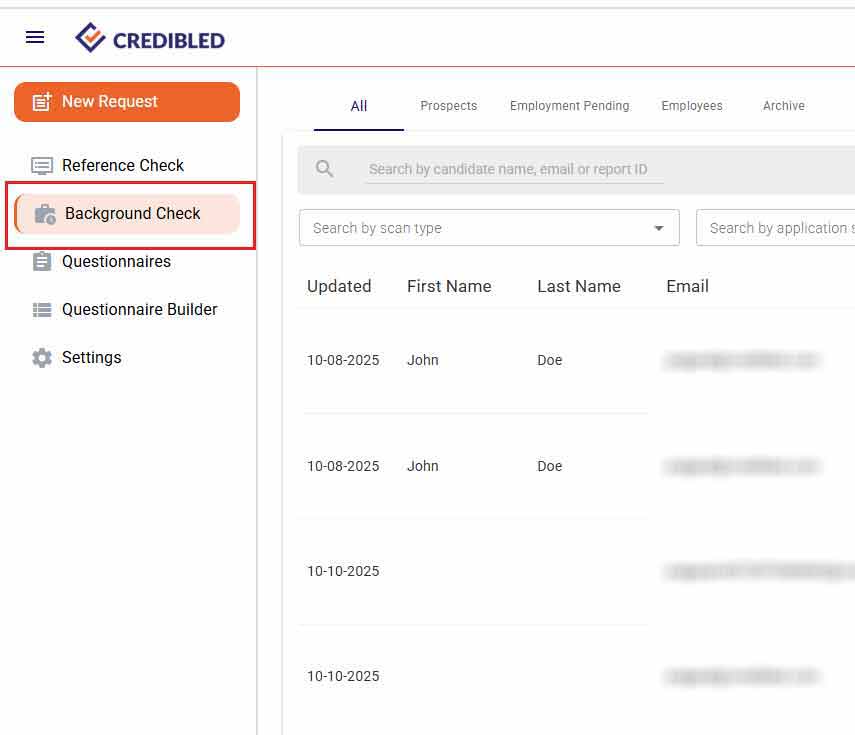
Step 2: Select the “Background Check” tab
From the left-hand menu, click on the “Background Check” tab to proceed.
Step 3: Access All Employee Background Check Details
Click the dropdown menu on the right-hand side, then select the “All Users” link. This will give you access to the background check details for all employees.